
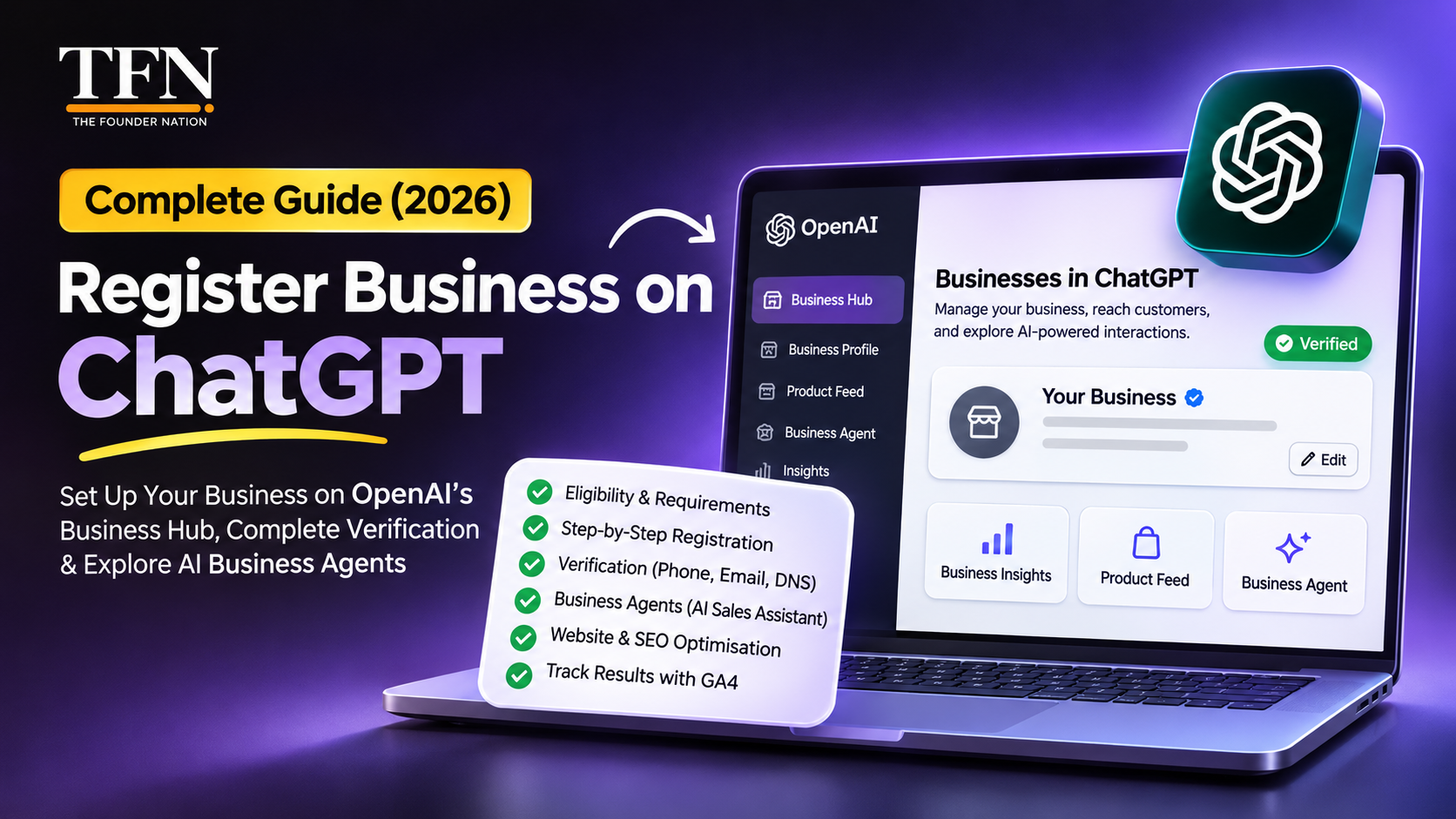
A step-by-step guide to registering your business on ChatGPT through OpenAI Business Hub.
Register business on ChatGPT is becoming an important consideration for companies exploring new ways to reach customers through artificial intelligence. OpenAI has introduced Businesses in ChatGPT, allowing eligible businesses to claim their profiles, manage business information, understand customer discovery and, where eligible, use AI-powered Business Agents.
Think about how customers search today. Instead of only typing queries into Google, people increasingly ask AI assistants questions such as, “Which digital marketing agency should I hire in Lucknow?” or “Recommend the best CRM for my small business.”
This creates a new opportunity for companies to make their information accessible through AI-powered discovery.
In this guide, we explain how to register business on ChatGPT, who is eligible, what documents and information you need, how to verify your business, and how to optimise your online presence for AI discovery.
We also cover Business Agents, product feeds, website optimisation, Google Analytics 4 tracking and the differences between OpenAI Business Hub and Google Business Profile.
Latest update: This guide reflects OpenAI’s Businesses in ChatGPT announcement and documentation available as of November 12, 2026. Availability and eligibility may change as the beta expands.
Quick Overview: Register Business on ChatGPT
| Detail | Information |
|---|---|
| Platform | Businesses in ChatGPT |
| Management dashboard | OpenAI Business Hub |
| Main purpose | Claim and manage business information |
| Business insights | Mentions, website clicks and discovery topics |
| Product information | Supported product feeds |
| AI customer interaction | Business Agents for eligible businesses |
| Verification | Methods vary by business |
| Additional verification | Persona identity verification |
| Official registration page | OpenAI Businesses in ChatGPT |
1. What Is Businesses in ChatGPT?
Businesses in ChatGPT is an OpenAI initiative that gives eligible companies a way to manage their business information within ChatGPT.
Through Business Hub, companies can claim an existing profile or add a business where supported. They can also update important information, connect product feeds and access aggregated business insights.
Furthermore, OpenAI has introduced Business Agents, which allow eligible companies to offer customers an AI-powered conversational experience.
The initiative has three major components.
A. Business Profiles: Claim and Manage Your Business
The first feature allows eligible companies to claim their business profiles.
After completing the required verification, businesses can manage supported information, including:
- Official business name
- Website URL
- Business description
- Business category
- Products and services
- Business logo
- Cover image
- Delivery information
- Return policies
- Other supported business details
As a result, businesses have a way to contribute accurate information about their offerings.
However, claiming a profile does not guarantee that ChatGPT will recommend your business or give it a higher position in responses.
B. Business Insights: Understand Customer Discovery
Business Hub also provides eligible companies with insights into how users interact with their presence in ChatGPT.
These insights may include:
- Business mentions: How frequently your business website is referenced or your local business listing is shown.
- Website clicks: How often users click through from ChatGPT to your website.
- Discovery topics: Common themes in conversations where your website is cited.
Consequently, businesses can use these insights to understand customer interests and identify opportunities to improve their websites.
The insights are aggregated. OpenAI does not share users’ private conversations with businesses through Business Hub.
C. Business Agents: AI-Powered Customer Interaction
Business Agents are another important part of this announcement.
They allow eligible companies to create an AI-powered conversational experience for customers.
For example, someone exploring an online store could ask questions about product features, compare available options or understand return policies.
Depending on the information and capabilities configured by the business, a Business Agent can help customers:
- Explore products and services.
- Compare available options.
- Understand product features.
- Ask follow-up questions.
- Review delivery and return policies.
- Find the next step towards purchasing.
However, Business Agents have separate eligibility requirements. At launch, they are available to eligible ecommerce and online-service businesses in the United States.
Important: Registering a business profile and accessing a Business Agent are two different things.
2. Why Should You Register Your Business on ChatGPT?
Customer discovery is changing. People now use AI assistants to research companies, compare products and explore services.
Therefore, businesses should understand how platforms such as ChatGPT may influence their digital presence.
Here are the major benefits.
1. Build Your Presence in AI-Powered Discovery
Customers may ask ChatGPT questions such as:
- Which website development agencies work with startups in India?
- What are the best CRM tools for small businesses?
- Recommend affordable digital marketing agencies in Lucknow.
- Which online stores sell fitness products?
ChatGPT may surface relevant information when responding to these questions.
Claiming an eligible profile gives your company a way to manage the information associated with its business presence.
Nevertheless, it does not guarantee inclusion, recommendations or ranking.
2. Keep Business Information Updated
Outdated business information can create confusion.
For instance, customers might encounter an incorrect website, old product pricing or an outdated return policy.
Business Hub allows eligible businesses to update supported information. As a result, companies can maintain a more accurate business presence.
3. Understand Your AI Discovery Performance
Traditional analytics help companies understand traffic from search engines, social media and referral websites.
Business Hub introduces another perspective through aggregated mentions, website clicks and discovery topics.
Therefore, marketing teams can explore how their business is appearing in ChatGPT and identify subjects that deserve more attention.
4. Explore AI-Powered Customer Interaction
Eligible businesses can use Business Agents to help customers understand their products and services.
For example, an online retailer could offer conversational assistance for product comparisons and common questions.
This creates another potential customer interaction channel. However, an AI agent does not automatically guarantee higher conversions or sales.
5. Share Product Information and Availability
Retailers can connect supported product feeds containing:
- Product names
- Descriptions
- Images
- Prices
- Availability
- Product URLs
Consequently, customers can access more useful product information while exploring shopping-related questions.
Eligible Shopify merchants have a supported integration route, while other retailers can review OpenAI’s product-feed requirements.
3. Who Is Eligible to Register a Business on ChatGPT?
Not every company can automatically claim a profile or access all available features.
OpenAI’s eligibility depends on business location, category, verification and other requirements.
There are two separate eligibility considerations.
A. Eligibility to Claim a Business Profile
Eligible businesses in locations where ChatGPT is available can claim profiles, subject to the supported business categories and verification methods.
Generally, you should:
- Own the business or be authorised to represent it.
- Have an eligible business profile or an option to add your business.
- Be able to complete an available verification method.
- Provide accurate business information.
- Comply with OpenAI’s Businesses in ChatGPT policies.
Some categories and locations have additional restrictions.
B. Eligibility for Business Agents
Business Agents have separate requirements.
At launch, they are available to eligible:
- Ecommerce businesses
- Online-service businesses
- Businesses operating in the United States
- Businesses with a website
- Companies meeting OpenAI’s industry and policy requirements
Therefore, an Indian company may be able to claim an eligible profile without being able to create or publish a Business Agent.
Can Indian Businesses Register on ChatGPT?
This is particularly important for Indian founders.
India is a supported ChatGPT market. However, that does not mean every Indian business category can automatically claim a profile.
The actual availability depends on the business type, location, listing and verification options displayed during registration.
For Indian businesses, the recommended approach is simple:
- Open Business Hub.
- Search for your business.
- Check whether an existing listing can be claimed.
- Check whether adding a business is supported.
- Review the verification methods offered.
Additionally, OpenAI’s current documentation places specific limitations on local stores and restaurants, including restrictions on claiming new listings outside the United States.
Business Agent access is separate and is currently limited to eligible US businesses.
4. What Information Do You Need to Register a Business on ChatGPT?
Before starting the registration process, keep the following information ready.
| Information | Purpose |
|---|---|
| Official business name | Identify your business |
| Business website | Establish your online presence |
| Business email | Possible verification method |
| Business phone number | Possible verification method |
| Website domain access | DNS verification, if offered |
| Business description | Explain your offerings |
| Business category | Classify your business |
| Business logo | Profile presentation |
| Cover image | Profile presentation |
| Business registration details | May be requested during verification |
| Government-issued ID | May be required for Persona verification |
| Shopify account | Relevant for eligible merchants |
| Product information | Required for supported product feeds |
The exact requirements depend on your business and the verification route offered.
5. How to Register Your Business on ChatGPT: Step-by-Step Guide
Now let’s go through the complete registration and verification process.
Step 1: Open the Official OpenAI Business Page
Visit the official page:
You can also access Business Hub through ChatGPT when the feature is available to your account.
Always use an official OpenAI website rather than an unofficial registration link.
Step 2: Sign In to Your ChatGPT Account
Log in using the account you intend to use to manage your business.
If you are the founder, owner or authorised representative, use an account that you can access reliably.
Step 3: Search for Your Business
Open Business Hub and search using your official business name.
Check the available results carefully.
If your business already appears, select the correct listing.
If it does not appear, check whether Business Hub provides an option to add a new business for your category and location.
Do not claim another company’s profile or create duplicate listings.
Step 4: Select Your Business and Start the Claim
After finding the correct listing:
- Select your business.
- Confirm the ChatGPT account you will use.
- Start the claim process.
- Choose an available verification method.
Remember that you must own the business or have permission to represent it.
Step 5: Verify Your Business
OpenAI may offer different verification options depending on your business.
These can include phone, business email, website domain or Shopify verification.
Option 1: Phone Verification
If phone verification is available:
- Select the business phone verification option.
- Choose SMS or an automated call, where available.
- Request the verification code.
- Enter the code provided.
Make sure you can access the displayed business number.
Option 2: Business Email Verification
If business email verification is offered:
- Select the email verification option.
- Request the verification code.
- Open your business email account.
- Enter the code in Business Hub.
Use an email address associated with your business.
Option 3: Website Domain Verification
This method may require access to your domain’s DNS settings.
Follow these steps:
- Select website-domain verification.
- Copy the DNS TXT record provided by OpenAI.
- Log in to your domain registrar or DNS hosting dashboard.
- Open DNS management.
- Add the TXT record exactly as instructed.
- Save the changes.
- Return to Business Hub.
- Complete the verification process.
DNS changes may take time to propagate.
If a developer or hosting provider manages your domain, ask them to add the supplied record. Do not remove existing DNS records unnecessarily.
Option 4: Shopify Verification
Eligible Shopify merchants may connect their store through the supported integration.
The process generally involves:
- Select the Shopify connection option.
- Choose the correct store.
- Sign in to Shopify if requested.
- Review the permissions.
- Follow the instructions to complete the connection.
This option is particularly useful for eligible ecommerce businesses.
Note: The verification options available to one business may not be available to another.
Step 6: Wait for Business Claim Approval
After submitting your claim, OpenAI reviews the information.
You may receive an email confirming the decision or requesting additional details.
Once approved, you can access your business through Business Hub.
However, business claim approval and identity verification are separate steps.
Step 7: Complete Identity Verification Through Persona
OpenAI uses Persona for additional identity verification.
This step may be required before you can:
- Publish changes to your business information.
- View business insights.
- Connect a product feed.
- Create an eligible Business Agent.
You may be asked to provide government-issued identity documents, business registration information or evidence that you are authorised to represent the company.
Follow the instructions displayed by Persona.
After approval, the blue verification check can appear on your business profile. Simply claiming the profile does not automatically provide this check.
Step 8: Update Your Business Profile
After completing the necessary verification, open your business profile in Business Hub.
Review the available fields and update:
- Business name
- Website URL
- Business description
- Business category
- Products and services
- Logo
- Cover image
- Delivery information, where relevant
- Return policies, where relevant
Keep your information accurate and consistent with your official website.
Furthermore, remember that OpenAI reviews submitted changes. Therefore, updates may take time to appear.
Step 9: Connect Your Product Feed
If you sell products online, explore the product-feed feature.
A product feed can provide:
- Product names
- Product descriptions
- Product URLs
- Product images
- Prices
- Availability
- Other required product attributes
Eligible Shopify merchants can use the supported integration.
Other retailers can review the official product-feed specifications.
OpenAI developer documentation
Make sure product information is accurate and updated regularly.
Step 10: Explore Business Insights
Once the relevant verification and access requirements are complete, open the Insights section in Business Hub.
Depending on the information available, you can explore:
Mentions: How frequently your business website is referenced or your business listing appears.
Website clicks: How often users click through to your website.
Discovery topics: Common themes in responses where your website is cited.
For example, if customers are discovering your website through questions about website development, you may want to improve your website-development service page.
Step 11: Set Up a Business Agent, If Eligible
If your company qualifies, you may be able to create a Business Agent.
The process involves configuring the agent using your business information, products, policies and instructions.
Before publishing, test questions about:
- Product features
- Pricing
- Availability
- Delivery timelines
- Returns and refunds
- Service limitations
- Frequently asked questions
Make sure the agent does not invent prices, guarantees, availability or services.
At launch, Business Agents are available to eligible ecommerce and online-service businesses in the United States.
6. How Does ChatGPT Discover and Recommend Businesses?
Claiming your profile is useful, but ChatGPT does not rely exclusively on information submitted through Business Hub.
It may use information from claimed business profiles, public websites and other available sources when responding to relevant questions.
For example, someone might ask:
“Which digital marketing agency in Lucknow specialises in working with early-stage startups?”
ChatGPT may consider relevant business information and publicly accessible website content when generating a response.
Therefore, businesses should make their information accurate, accessible and useful.
Does Claiming a Business Guarantee Recommendations?
No. Claiming a profile does not:
- Guarantee recommendations.
- Guarantee a higher position in responses.
- Automatically increase website traffic.
- Guarantee sales or conversions.
- Override ChatGPT’s independent recommendations.
Instead, treat Business Hub as one component of a wider digital presence strategy.
7. How to Make Your Business Visible on ChatGPT in India
For Indian companies, the opportunity extends beyond profile registration.
You should also prepare your website and public business information for AI-powered discovery.
1. Create a Clear Business Description
Your description should explain:
- What your business does.
- Which products or services you offer.
- Who your customers are.
- Where you operate.
- What makes your offering different.
Weak description:
“We are a leading company providing world-class digital solutions.”
Better description:
“We are a digital marketing agency based in Lucknow, India, helping startups and small businesses with SEO, website development, performance marketing, social media management and brand strategy.”
The second example communicates the business category, location, services and target audience more clearly.
2. Create Dedicated Pages for Important Services
Do not put every service on one generic webpage.
Instead, create dedicated pages for important offerings.
For example, a digital agency could create separate pages for:
- Website development.
- Search engine optimisation.
- Social media marketing.
- Branding and creative strategy.
- AI automation.
- Performance marketing.
Each page should explain the service, benefits, target customers, process and relevant FAQs.
3. Publish Useful and Original Content
Create content that answers questions your potential customers actually ask.
For instance:
- How much does website development cost in India?
- How can small businesses generate leads online?
- What should a startup look for in a digital marketing agency?
- How does AI automation help customer support teams?
- Which CRM is suitable for small businesses?
Useful content makes your website more informative. It also helps visitors understand your expertise.
Avoid publishing hundreds of repetitive AI-generated pages simply to target keywords.
4. Keep Business Information Consistent
Your business name, website, phone number, services and location should be consistent across your website and public business profiles.
Similarly, update old contact details and remove outdated service information.
If you operate in multiple cities, create clear location pages with accurate information.
5. Use Structured Data Where Relevant
Structured data helps search engines interpret information on your website.
Depending on your business, relevant Schema.org types may include:
- Organization
- LocalBusiness
- Product
- Service
- Article
- BreadcrumbList
Use accurate structured data that matches the information visible on your website.
However, schema markup does not guarantee ChatGPT recommendations or higher visibility.
6. Make Your Website Technically Accessible
Check that your website:
- Uses HTTPS.
- Loads properly on mobile devices.
- Has working internal links.
- Provides clear contact information.
- Uses descriptive page titles.
- Includes relevant meta descriptions.
- Has a logical internal-linking structure.
- Does not unintentionally block relevant search crawlers.
Technical accessibility is important for traditional search as well as emerging AI-powered discovery.
7. Build a Credible Online Presence
Your website should make it easy for customers to understand that your business is legitimate.
Include:
- About Us page.
- Contact page.
- Clear company details.
- Detailed product and service pages.
- Genuine case studies.
- Relevant customer testimonials.
- Customer support information.
Never use fake reviews or fabricated awards to influence AI recommendations.
8. Allow OpenAI’s Search Crawler to Access Your Website
This is an important technical consideration for website owners.
OpenAI uses different crawlers for different purposes.
One important crawler is OAI-SearchBot, which is used to surface websites in ChatGPT search results.
Another is GPTBot, which is associated with crawling content that may be used to improve OpenAI’s generative AI foundation models.
These are separate controls.
A website can allow OAI-SearchBot for search visibility while disallowing GPTBot if the website owner does not want its content used for model training.
How to Check Your Robots.txt File
Open:
https://yourdomain.com/robots.txt
Replace yourdomain.com with your actual domain.
Look for rules that may block OpenAI’s search crawler.
For example, a simplified configuration allowing OAI-SearchBot is:
User-agent: OAI-SearchBot
Allow: /

User-agent: GPTBot
Disallow: /
This is an illustrative example, not a universal configuration. Review your existing rules before making changes. Do not replace your entire robots.txt file blindly.
You can also review OpenAI’s official documentation:
OpenAI: Overview of OpenAI Crawlers
Remember that allowing OAI-SearchBot does not guarantee that ChatGPT will cite or recommend your website.
9. How to Track ChatGPT Traffic Using Google Analytics 4
Registering your business is only one part of the process.
You should also understand whether visitors are reaching your website from ChatGPT.
Google Analytics 4 can help you monitor referral traffic and evaluate how visitors interact with your website.
Step 1: Open Google Analytics 4
Sign in to your Google Analytics account.
Select the GA4 property connected to your website.
If you have not installed GA4, complete the setup before measuring referral traffic.
Step 2: Open the Traffic Acquisition Report
Navigate to:
Reports → Acquisition → Traffic acquisition
This report helps you understand where your visitors are coming from.
Step 3: Look for ChatGPT Referral Traffic
Depending on how traffic is attributed, ChatGPT visitors may appear under referral traffic.
Look for source information such as:
- chatgpt.com
- chat.openai.com
The exact source and medium can vary.
Use the available report dimensions to inspect traffic sources and landing pages.
Step 4: Analyse Visitor Behaviour
Do not focus only on the number of visitors.
Instead, examine:
- Which pages receive ChatGPT referrals?
- How long do visitors spend on those pages?
- Do they explore other pages?
- Do they submit enquiry forms?
- Do they purchase products?
- Which pages generate conversions?
Consequently, you can understand whether AI-referred traffic contributes to business outcomes.
Step 5: Use UTM Parameters for Links You Control
If you share links through campaigns, advertisements or other channels, UTM parameters can help identify their sources.
For example:
https://yourdomain.com/?utm_source=chatgpt&utm_medium=referral&utm_campaign=business_profileUse this only when you control the link being shared. You cannot force ChatGPT to append your chosen UTM parameters to organic citations.
Also, referral information may be unavailable because of redirects, browser behaviour, privacy settings or tracking restrictions.
10. ChatGPT Business Hub vs Google Business Profile
Businesses may naturally compare the new OpenAI initiative with Google Business Profile.
Both help companies manage business information, but they serve different discovery environments.
| Feature | Google Business Profile | Businesses in ChatGPT |
|---|---|---|
| Main purpose | Business presence across Google | Business information in ChatGPT |
| Discovery | Google Search and Maps | ChatGPT responses and profiles |
| Business information | Yes | Yes, for eligible businesses |
| Verification | Google’s verification process | OpenAI claim and Persona verification |
| Analytics | Google Business Profile performance | Mentions, clicks and discovery topics |
| Product information | Google product and merchant features | Supported product feeds |
| AI customer interaction | Separate Google AI experiences | Business Agents for eligible businesses |
| Guaranteed recommendations | No | No |
The best strategy is not to choose one platform over the other.
Instead, maintain accurate information across your website, Google Business Profile and other relevant platforms while exploring new AI discovery channels.
11. Business Profile vs Business Agent: What Is the Difference?
These features serve different purposes.
| Feature | Business Profile | Business Agent |
|---|---|---|
| Main purpose | Manage business information | Interact with customers |
| Business description | Yes | Uses supplied information |
| Website details | Yes | Can use relevant supplied information |
| Product information | Supported feeds | Can answer product questions |
| Customer conversations | Not its main purpose | Yes |
| Verification | Required | Required |
| Availability | Depends on business eligibility | Eligible US ecommerce and online-service businesses at launch |
A business profile helps customers understand what your company offers.
In contrast, a Business Agent gives eligible businesses an additional way to answer questions and help customers explore their offerings.
12. Common Problems During ChatGPT Business Registration
My Business Is Not Showing in Search
Your business may not have an eligible or claimable listing.
Check whether Business Hub provides an option to add a business. Availability depends on your category and location.
I Cannot Verify My Business
Check that you have access to the phone number, business email, website domain or Shopify account offered as verification methods.
For domain verification, confirm that the TXT record was entered correctly and allow time for DNS changes to propagate.
Someone Else Has Already Claimed My Business
If you believe the existing profile belongs to your company, follow OpenAI’s ownership-dispute process and provide the requested evidence that you are authorised to represent the business.
My Business Is Claimed but I Cannot Edit It
Business claim approval and Persona identity verification are separate steps.
Check whether your account still needs to complete Persona verification before publishing profile changes.
My Business Agent Option Is Missing
Business Agents have separate eligibility requirements.
At launch, they are limited to eligible ecommerce and online-service businesses in the United States.
My Business Information Has Not Updated
OpenAI reviews submitted changes, and updates may take time to appear.
Check that your information follows the Businesses in ChatGPT policy and that you have completed the required verification.
13. Common Mistakes Businesses Should Avoid
Before and after registration, avoid these mistakes:
- Claiming the wrong business: Always confirm that the listing belongs to your company.
- Creating duplicate profiles: Do not create multiple listings to increase visibility.
- Using inconsistent information: Keep your website and business profile aligned.
- Writing generic descriptions: Clearly explain your services, products and target customers.
- Ignoring technical accessibility: Check whether your website blocks OAI-SearchBot unintentionally.
- Using misleading claims: Avoid unsupported guarantees, fake reviews and fabricated credentials.
- Publishing an untested Business Agent: Review its responses before publication.
- Expecting instant results: Registration does not guarantee recommendations, clicks or sales.
14. Frequently Asked Questions
How do I register my business on ChatGPT?
Visit OpenAI’s official Businesses in ChatGPT page, open Business Hub, search for your business, select the correct listing and complete the verification process offered for your business.
Can Indian businesses register on ChatGPT?
Eligible businesses in locations where ChatGPT is available may claim profiles, subject to business category, location and verification requirements. However, not every Indian business category is necessarily supported.
Is registering a business on ChatGPT free?
Check the latest OpenAI Business Hub terms and the options presented during setup. Do not assume that every feature, integration or service has identical pricing or availability.
Is ChatGPT Business the same as Google My Business?
No. Google Business Profile manages business information across Google Search and Maps. Businesses in ChatGPT is OpenAI’s system for claiming and managing business information within ChatGPT.
Can ChatGPT recommend my business to customers?
ChatGPT may reference your business when responding to relevant questions. However, claiming a profile does not guarantee recommendations, higher placement, website traffic or sales.
Can I create an AI sales agent for my business?
Eligible businesses can create Business Agents. At launch, this feature is available to eligible ecommerce and online-service businesses in the United States.
Do I need Shopify to register my business?
No. Shopify is one supported verification and product-integration route for eligible merchants. It is not a universal requirement for claiming a business profile.
What is Persona verification?
Persona is the identity-verification provider used in OpenAI’s business setup process. It may require identity and business-related information before certain Business Hub features become available.
Does ChatGPT share customers’ private conversations with businesses?
OpenAI says Business Hub insights are aggregated and that it does not share users’ private conversations or Business Agent chats with businesses.
Can I update my business details after registration?
Yes. After the required claim and identity-verification steps are approved, eligible businesses can update supported information through Business Hub.
How can I make my business appear in ChatGPT search results?
Maintain accurate business information, publish useful and accessible website content, allow OAI-SearchBot if you want your website to be eligible for ChatGPT search visibility, and build a credible online presence. However, none of these steps guarantees recommendations.
How can I track traffic coming from ChatGPT?
Use Google Analytics 4’s Traffic acquisition report to inspect referral traffic and landing pages. Look for ChatGPT-related referral sources where available and monitor conversions from those visits.
Is ChatGPT replacing Google Business Profile?
No. Businesses should continue maintaining their websites and Google Business Profiles. Businesses in ChatGPT is an additional discovery and customer-interaction channel.
Final Takeaway: Is Your Business Ready for ChatGPT?
AI-powered discovery is creating another way for customers to research companies, compare products and explore services.
OpenAI’s Businesses in ChatGPT initiative gives eligible companies a way to claim their profiles, manage important information and understand how their businesses appear on the platform.
For Indian founders and business owners, the first step is to check whether Business Hub supports their business category and location.
If your profile can be claimed, complete the verification process and update your business information. In addition, ensure that your website provides accurate, useful and accessible content.
Do not treat this as a replacement for your website, Google Business Profile or SEO strategy. Instead, treat it as another emerging channel that deserves attention.
Businesses that invest in clear information, useful content, trustworthy websites and strong customer experiences will be better prepared as AI-powered discovery evolves.
Ready to register business on ChatGPT?
Visit OpenAI’s official Businesses in ChatGPT page
About The Founder Nation
The Founder Nation (TFN) covers startups, entrepreneurship, venture capital, technology, artificial intelligence and the people building the next generation of businesses. Follow TFN for practical guides, startup resources, funding updates and insights from the global startup ecosystem.